Every side project, one click away.
Dev WorkDir opens your editors, terminals & scripts in 2 seconds — no more digging through 20 project folders.
Free to use · Pro unlock at $29.99 one-time · No subscription
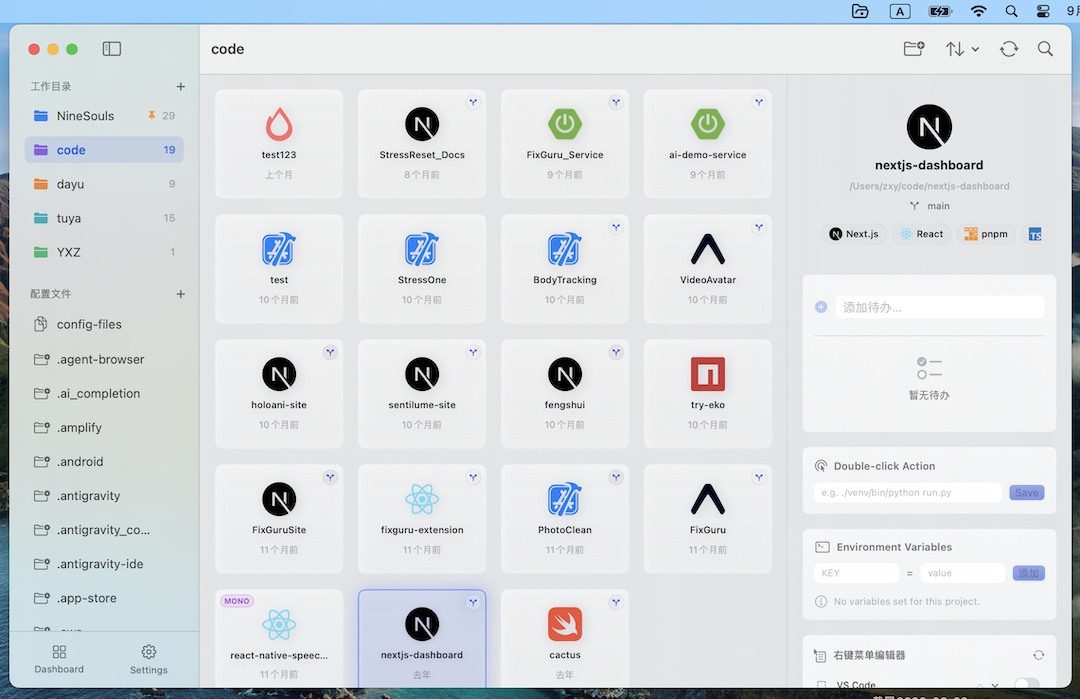
Too many projects. Too much setup.
AI coding made side projects cheap to start. Keeping them organized wasn't part of the deal.
Projects scatter everywhere
~/code, ~/9SOULS, ~/Documents, ~/Desktop — your repos live in five places.
Every switch is a folder hunt
Find the folder. Open the editor. Run npm run dev. Every. Single. Time.
Context gets lost
"63% done on that feature" survives in your head, not in any task list.
The quick launcher, built for how you actually work
From the menu bar to a one-click dev server, Dev WorkDir turns your projects into something you can just open.
LAUNCH
Menu Bar & Widget
Recent projects live in your menu bar or a floating desktop widget. No window, no searching. Read about the project launcher for Mac.
Double-Click to Run
npm run dev, make build, python run.py. Double-click a project to execute its script.
37 Editors
Open in Cursor, Windsurf, Trae, VS Code, Xcode, JetBrains IDEs, and 11 CLI editors.
21 Templates
Scaffold instantly from Next.js, Vite, React, Vue, Astro, Svelte, Hono, Bun, Tauri & more.
CONTEXT
Project-Level Todos
Attach todos to any project. Feed them all into the global Watchtower.
⌘K Command Palette
Search every project and config file, then open, run, or copy instantly.
Framework & Git At a Glance
Auto-detected tech-stack badges and current Git branch. No context switching.
Dotfiles & Env Vars
Browse ~/.ssh and hidden configs. Inject per-project environment variables on run.
Made for the AI coding era
A desktop widget that looks like work. A global todo that never misses your attention. A dashboard that shows where your time went.
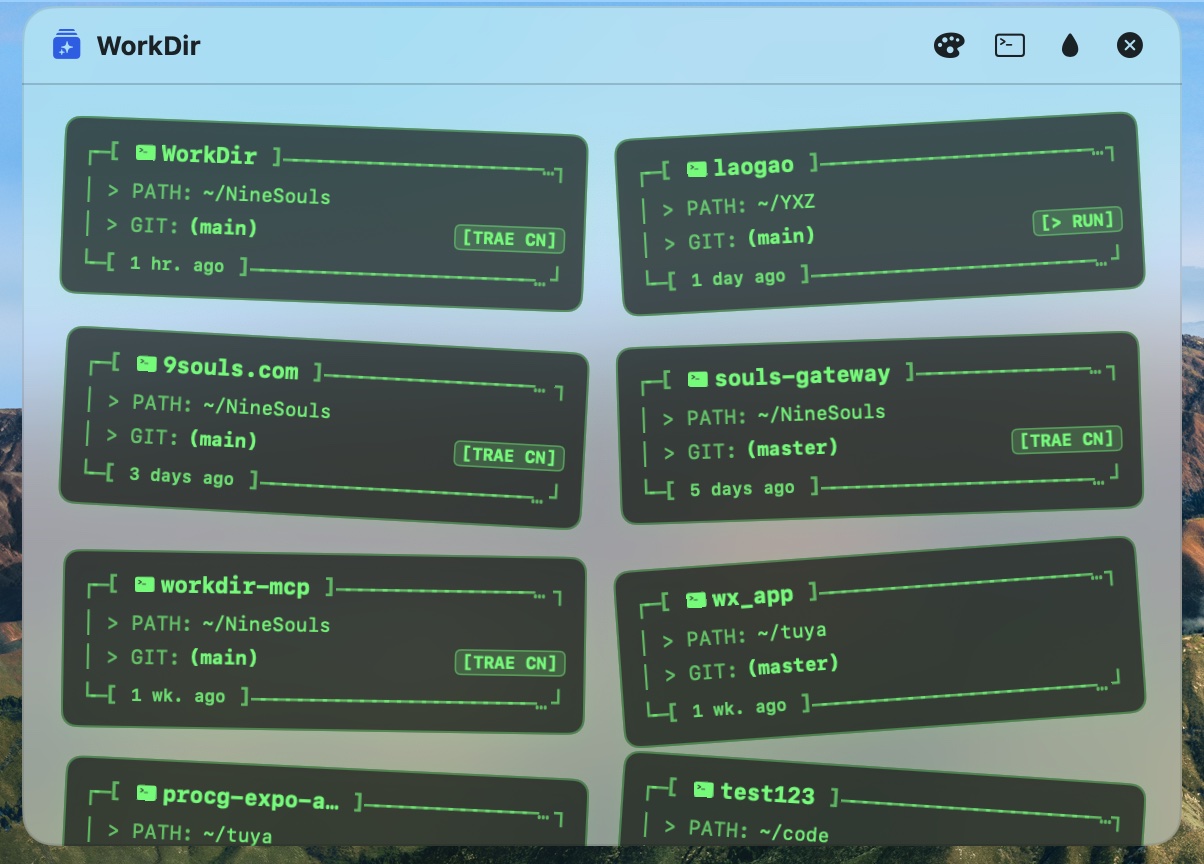
Project cards that live on your desktop
A high-transparency floating panel in a retro-terminal aesthetic. Grid, Column, or HackerScatter layouts — every project's path, Git branch, and status one glance away.
- Keep your project network visible without opening a window
- Double-click a card to launch its default editor
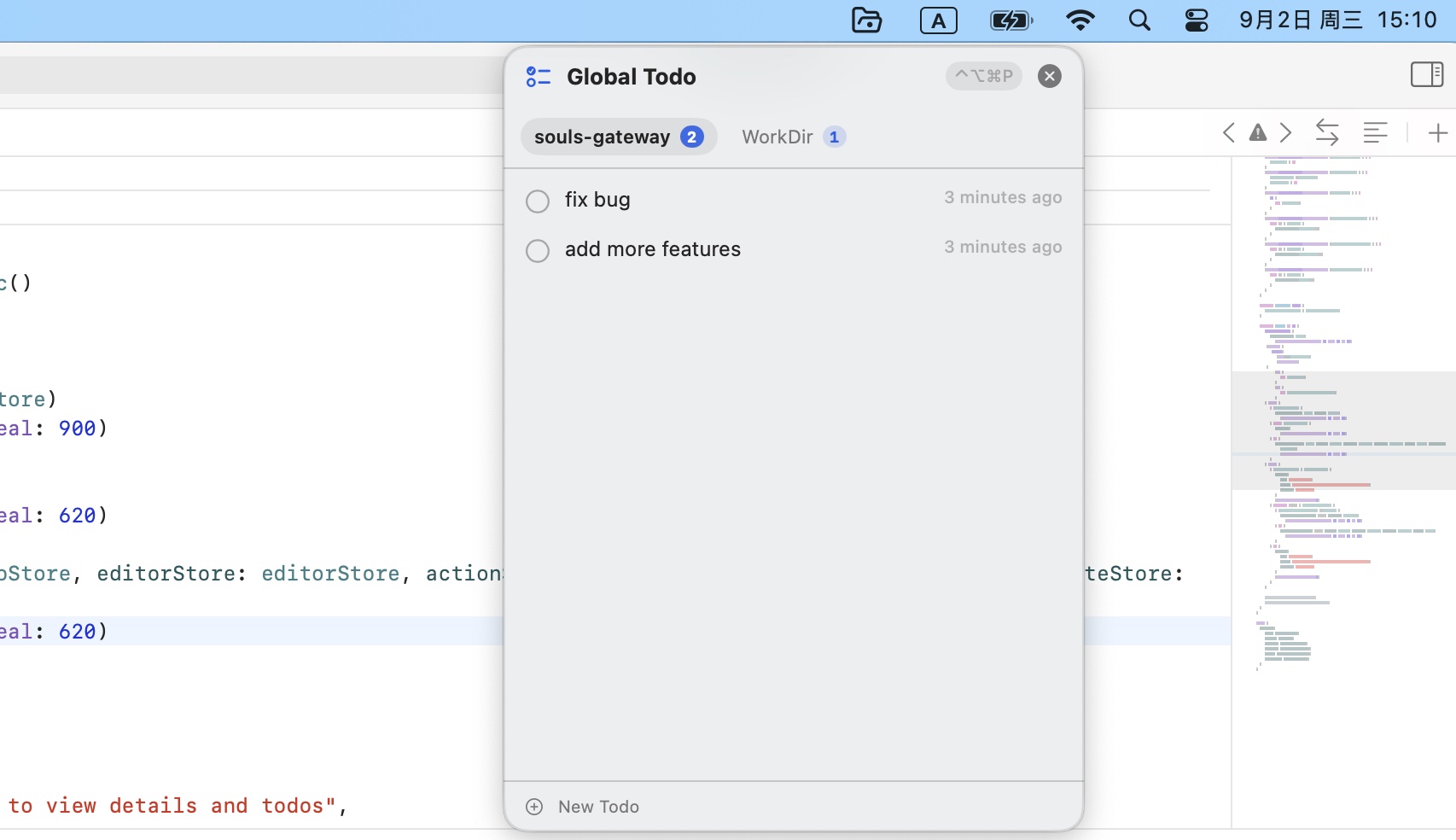
Every project's TODO, in one always-on-top window
The Todo Watchtower aggregates all your projects' today-todos into a floating panel you summon with ⌃⌥⌘P — right on top of your code.
- Never lose context: tasks follow the project, not the app
- Switch projects in the panel, stay in your editor
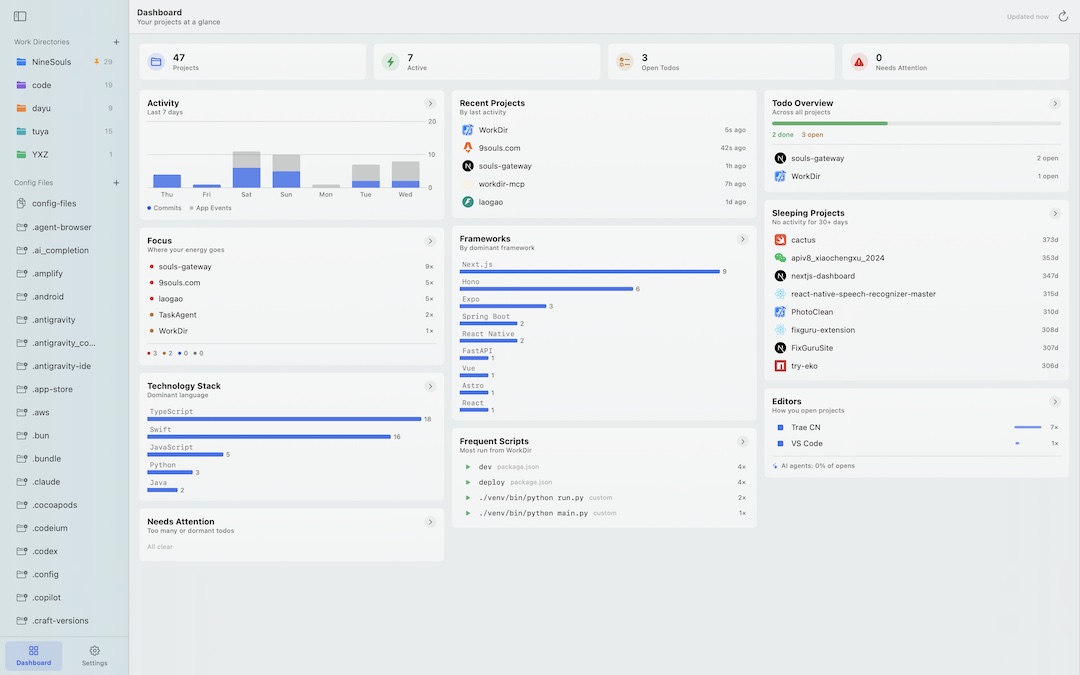
See where every hour went
The Dashboard turns your daily work into insight — 90-day commit heatmaps, focus energy, tech-stack and script rankings, and a gentle nudge when a project goes quiet.
- 90-day commit heatmap, trends & week-over-week
- Focus Board: Hot — Warming — Idle — Sleeping
- Detailed drill-down on every card (Pro)
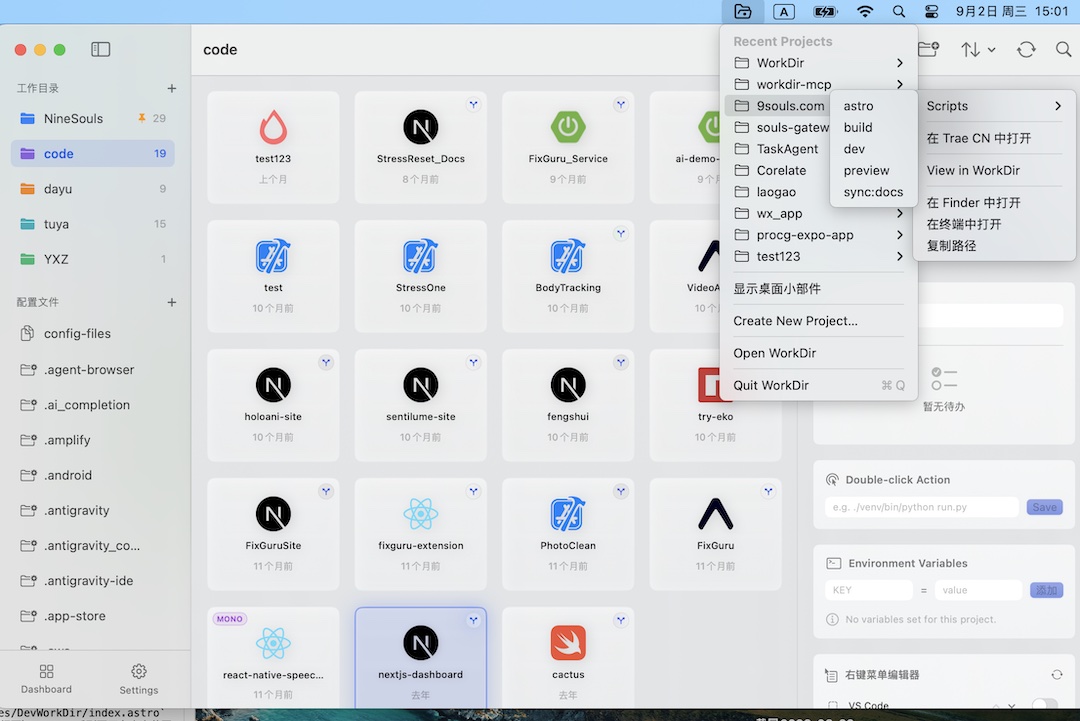
Your terminals & editors, one click from anywhere
Recent projects in the menu bar with cascading scripts. Open in your editor, run a script, jump to Finder or Terminal — without leaving context.
- Run any project script from the menu bar
- Works with the system Terminal; 6 more terminals in Pro
Simple. Local. Fair.
The app is free to use, forever. Pro is a one-time purchase — not a subscription.
Free
Everything you need to launch projects fast
- Menu bar + desktop widget
- 21 project templates & 37 editors
- Framework & Git detection
- Project todos, command palette, env vars
- System Terminal
Dev WorkDir Pro
Unlock analytics & every terminal you use
- Everything in Free
- 6 third-party terminals: iTerm2, Warp, Ghostty, Alacritty, Kitty, WezTerm
- 90-day commit heatmap & trends
- Focus Board & work-hours analytics
- Full dashboard drill-down
Family Sharing · Non-subscription · No cloud required
Privacy-first, by design
Local by default
Your projects, files and todos stay on your Mac. No account, no uploads.
Sandbox & security scoped
App Sandbox with security-scoped bookmarks — you always control folder access.
No analytics
Dev WorkDir doesn't track behavior or send usage data anywhere.
Your call on the cloud
Cloud is optional, off by default, and only ever enabled with your informed consent.
Questions, answered
Is the free version time-limited?
No. The core functionality is free forever. Pro is an optional one-time unlock for analytics and third-party terminals.
Is Pro a subscription?
No. It's a one-time purchase of $29.99 with Family Sharing. Pay once, own it.
Which terminals are supported?
The system Terminal is always free. Pro adds iTerm2, Warp, Ghostty, Alacritty, Kitty, and WezTerm.
Does it use the cloud or require an account?
Not by default. Everything runs 100% locally. Any cloud capability is opt-in and only enabled after you're informed.
What's the minimum macOS version?
Dev WorkDir requires macOS 14.0 (Sonoma) or later.
Put every project a double-click away
Free to start. One-time Pro if you want more. Your side projects will thank you.